My AI delivery agent: it minds Teams, checks my portfolio and drafts my status reports
Running a portfolio of 20+ projects means my week is full of small, urgent things. Teams pings while I'm in a steering committee. "Can we get 30 minutes with Rama this week?" A Friday afternoon spent piecing together status from dozens of project emails. Minutes to write after every meeting.
None of it is hard. All of it takes time, and most of it follows a pattern. Patterns are exactly what AI agents are good at.
So in August 2026 I built myself an AI delivery agent on ChatGPT Enterprise, connected to the tools my work already lives in: Microsoft Teams, Outlook and SharePoint. Schedulers run it every hour, so it keeps working while I'm busy.
The goal wasn't to replace my judgement. It was to stop spending my judgement on admin.
Job 1: Minding Teams while I'm away
Every hour the agent reads my Teams messages. When I'm away, in back-to-back meetings or travelling, it replies on my behalf, so nobody is left waiting without an answer.
Job 2: Taking tasks from my delegates
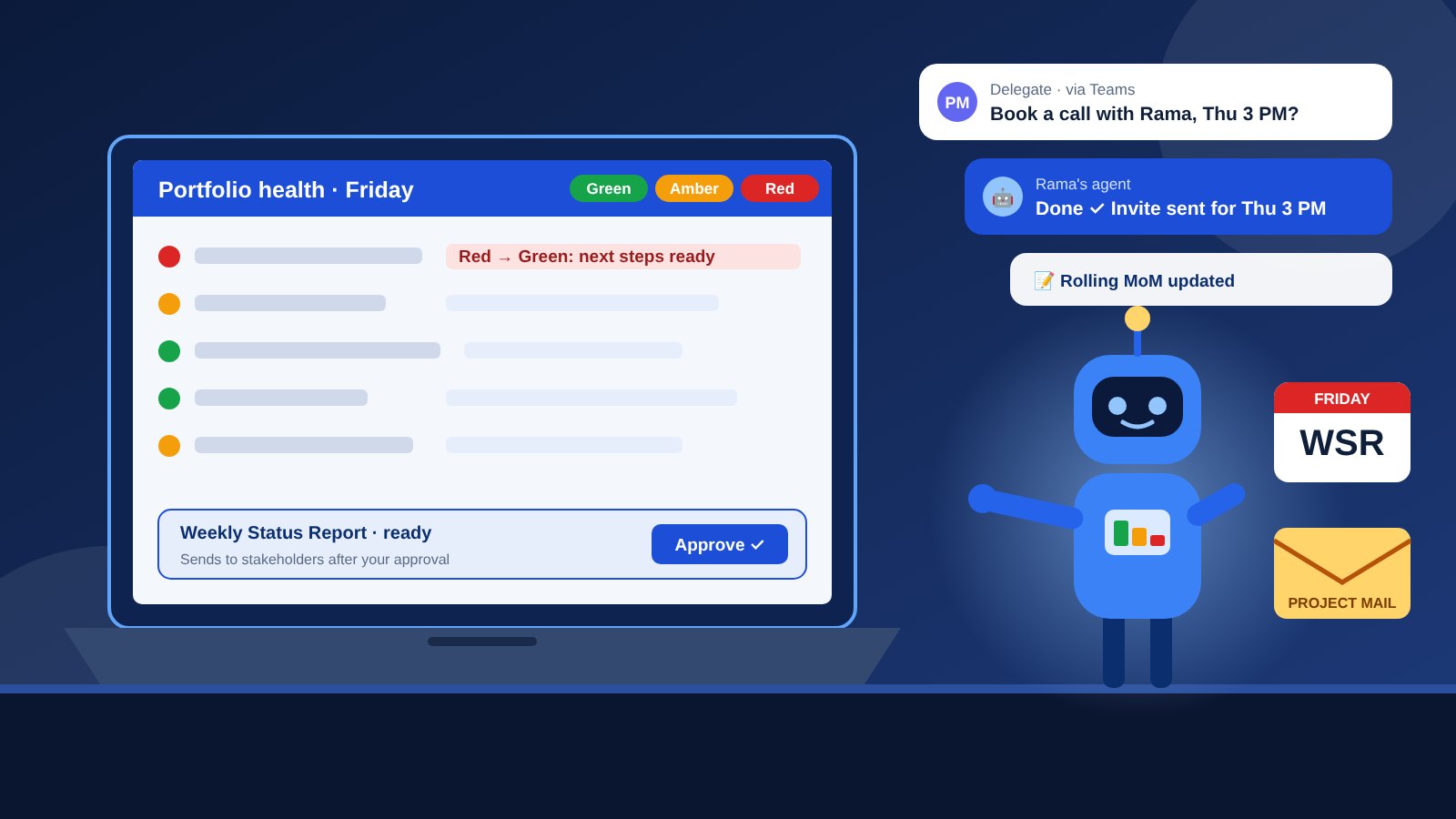
My delegates can give the agent work directly in Teams, the same way they'd message a colleague. A typical request: "Set up a meeting with Rama on Thursday at 3 PM." The agent picks it up and gets the meeting scheduled, with no email chain needed.
Job 3: The Friday portfolio health check
Every Friday the agent reads the project emails across my portfolio and builds a picture of where things stand:
- A list of every project in my portfolio, so nothing quietly drops off the radar.
- A red, amber, green dashboard showing each project's health at a glance.
- For every red project, suggested next steps on the path from red back to green.
That last part matters most. A RAG status on its own just describes a problem. The red-to-green next steps turn it into a plan I can act on.
Job 4: The weekly status report, on my approval
From the health check, the agent prepares the Weekly Status Report. Then it stops and waits for me. I review it, adjust anything that needs a human view, and approve. Only then does it send the report to all the stakeholders.
Nothing goes to a stakeholder without my approval. The agent drafts; I decide.
Job 5: A rolling MoM
Instead of separate minutes for every meeting, the agent summarises discussions into a Rolling MoM: one running record of decisions, actions and owners that builds up over time. When someone asks "what did we agree last month?", the answer is in one place.
A week with the agent
- Every hour: read Teams, reply when I'm away, and pick up tasks from my delegates.
- As requested: schedule meetings and handle the small requests delegates send through Teams.
- After meetings: add the summary, decisions and actions to the Rolling MoM.
- Every Friday: read project emails, list the portfolio and build the RAG dashboard with red-to-green next steps.
- Friday report: draft the Weekly Status Report and wait for my approval.
- After approval: send the report to all stakeholders.
What I learned building it
- Treat an agent like a new team member. Give it a clear role, the right access and a clear line on what it may do alone.
- Put a human gate on anything that leaves the team. Drafting is cheap; a wrong report sent to a client is not.
- Build on the tools people already use. Delegates didn't learn anything new. They just message the agent in Teams.
- Schedules beat reminders. An hourly job never forgets to check, even in my busiest week.
Programme management has always been about turning noise into a clear picture and the next right action. This agent does the noisy part, so I can spend my time on the clear picture and the decisions.