How I built this website in a day by talking to Claude Code
I've always wanted a home on the internet that says more than a résumé can. A place for the projects behind the bullet points, the AI agents I've been building, and a few photos from along the way.
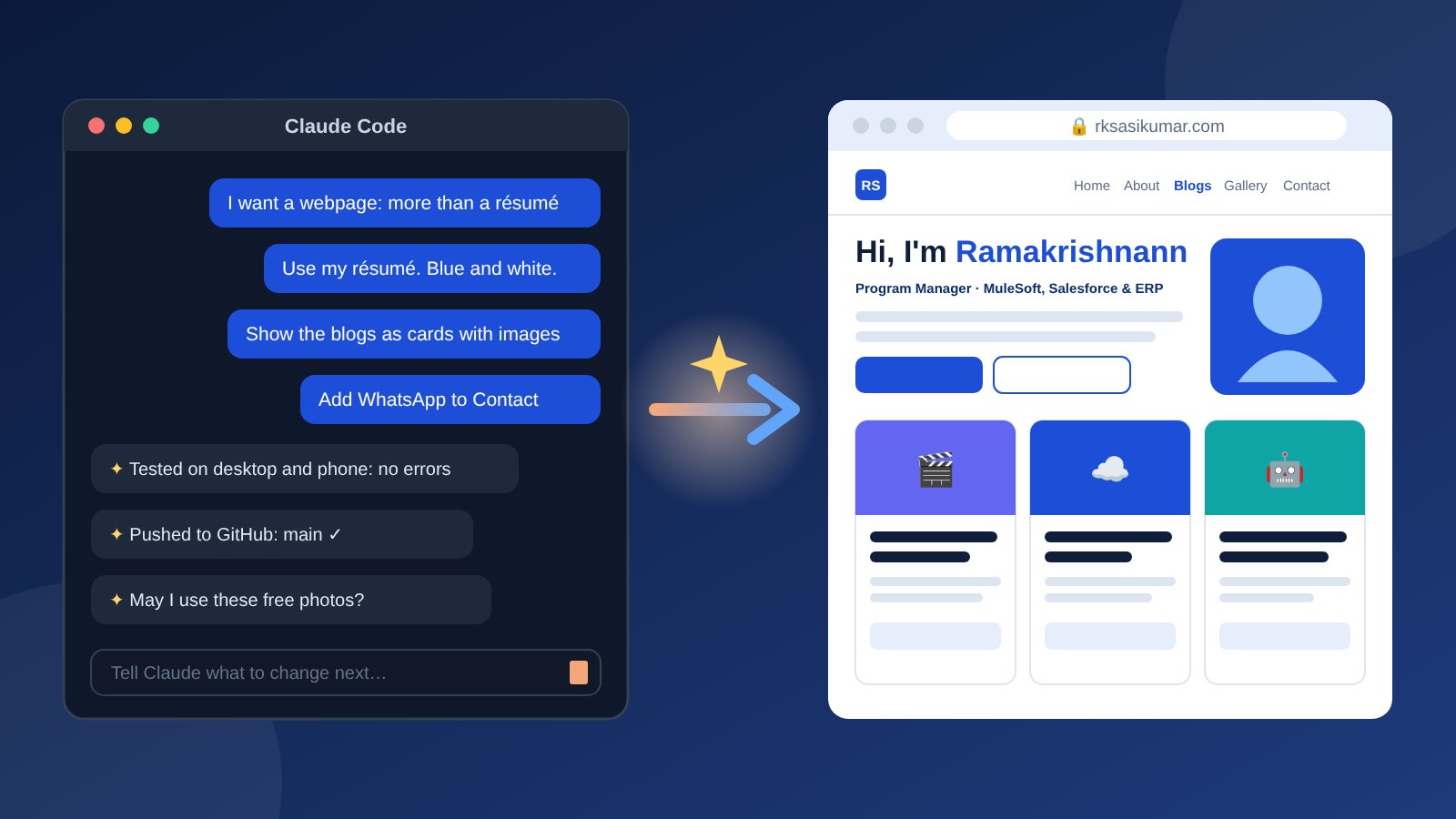
The catch: I manage delivery programmes, I don't build websites. So I tried an experiment. I opened Claude Code, Anthropic's AI coding agent, and described what I wanted in plain English. Everything you're looking at came out of that conversation, on one day.
I want to create a webpage that acts as my enhanced résumé, and more about me than a standard résumé. Home, About Me, Blogs, Gallery, Contact.
That was my whole first message.
Step 1: A working first draft, tested before I saw it
Within minutes Claude had built the whole site as a single file: navigation, the five pages, a blog section, a photo gallery with an enlarged view, a contact form and a dark mode. Before showing me anything, it opened the site in a browser at desktop and phone sizes, checked for errors and looked at screenshots of every page.
That habit never stopped. Every change after that was tested the same way before it went live.
Step 2: Feeding it my résumé
Next I attached my résumé and asked for a professional blue and white theme. Claude read the PDF and filled in everything: my experience, skills, certifications, awards and education. It also turned each key project into a career story with three parts: the challenge, what we did, and the result. It was careful to use only facts from the résumé and not invent numbers to make a story sound better.
Step 3: Iterating like a product owner
From there it felt like working with a fast, patient developer. I gave short requests, often one line, and reviewed the result:
- Organise the blogs into categories: Career, AI & Agents, Life and Travel.
- Show the blogs as cards with an image, a heading and a short description.
- Give every blog its own link so I can share a single post on LinkedIn or WhatsApp.
- Add WhatsApp to the Contact page, and make the icons match the site's style.
- Justify the summary text, rename a heading, and bold MuleSoft and Salesforce.
- Rewrite the Home intro so recruiters looking for MuleSoft, Salesforce and ERP project managers find what they need.
When I noticed something off, like an icon that clashed with the rest, a single screenshot and one sentence were enough to get it fixed.
Step 4: Images done properly
I wanted pictures on every blog, but only copyright-free ones. Claude suggested specific photos from Unsplash, explained the licence, and asked my permission before using any of them. When Unsplash blocked automated downloads, it didn't try to get around the block. It told me plainly, I downloaded the photos myself, and it converted and resized them so the pages stay fast.
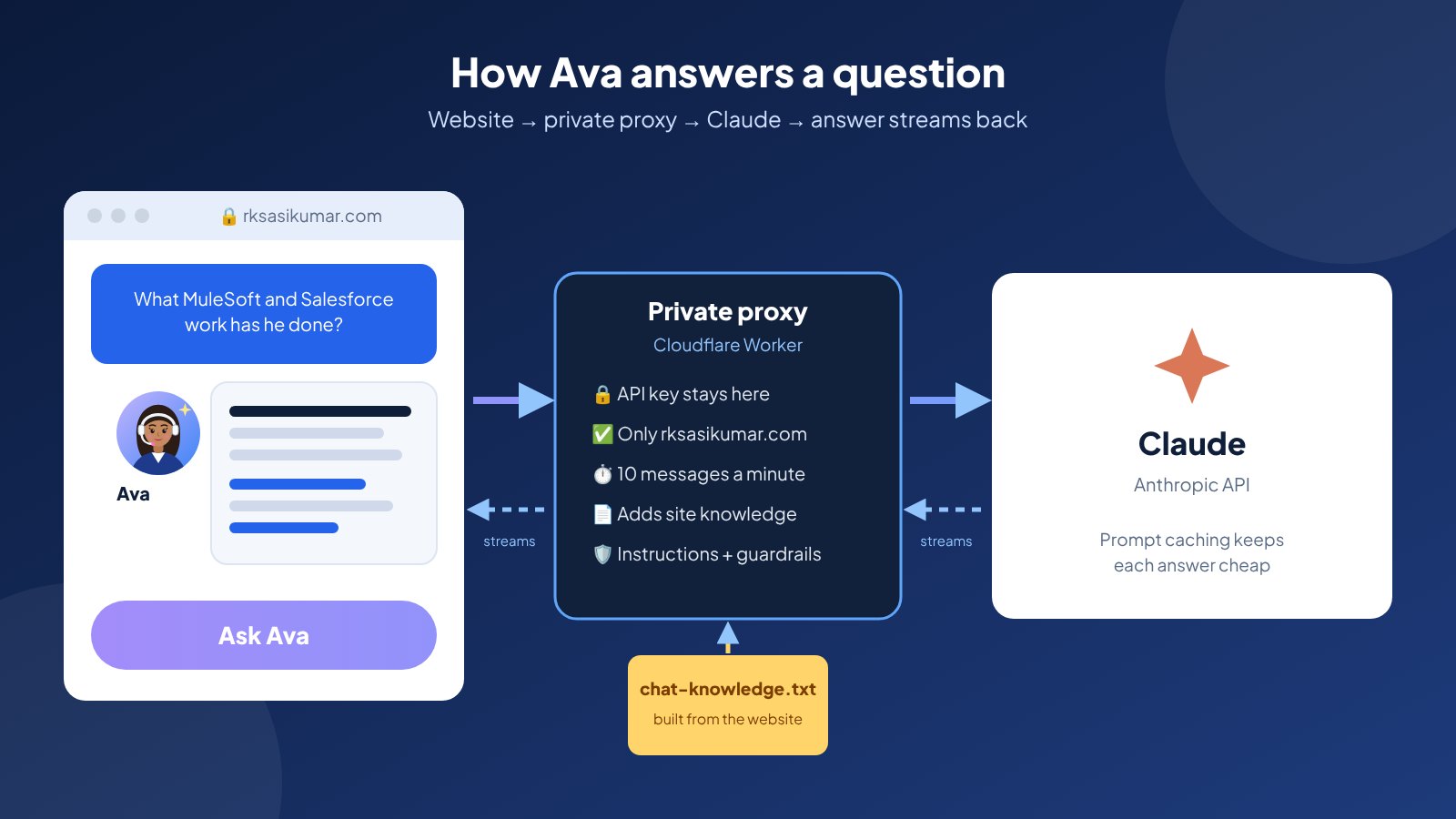
For the AI posts there was no stock photo that fit, so Claude drew original illustrations instead, like Ava, the AI agent standing in a cinema queue for me. My own profile photo was cropped to fit, and gallery photos were added with my captions.
Step 5: From files to a real website
- I created a GitHub repository, and Claude pushed the website into it with a clear note for every change.
- I turned on GitHub Pages, which hosts the site for free.
- I bought rksasikumar.com. Claude compared the prices I was seeing and told me which add-ons I didn't need, such as paid hosting and domain protection plans.
- I set up the DNS records at my registrar and shared screenshots. Claude spotted a missing record and an old default record that would have broken the site.
- I set up a free mailbox for rk@rksasikumar.com with Zoho Mail, again following Claude's step-by-step guidance and screenshot checks.
What impressed me most
Not the speed, although that was remarkable. It was the judgement.
- It asked before acting. It asked before using images, and it explained cost and privacy trade-offs before I bought anything.
- It protected my privacy. When I shared the instructions for my movie-booking agent, it kept my phone number and internal IDs out of the public post.
- It didn't make things up. Where I hadn't given a number, it left the number out and asked me instead.
- It owned its mistakes. Once, one of its edits accidentally removed part of a page. Its own testing caught the problem before anything went live, it restored the file, explained what had happened and fixed it properly.
- It flagged things I hadn't thought of, like checking my employer's social media policy before publishing a post about a work tool.
What it taught me as a programme manager
Building this site felt surprisingly like running a delivery project, just compressed into a day:
- Clear asks get clear results. One-line requests worked because each one had a single, testable outcome.
- Review every increment. I looked at a screenshot after each change, the same way I'd review a sprint demo.
- Keep decisions with the human. Claude proposed; I approved. Anything involving money, permissions or my name stayed my call.
- Small changes, shipped often. Every change was tested and published on its own, so nothing big could break at once.
AI doesn't replace knowing what you want. It removes the distance between knowing what you want and having it. If you've been putting off a project because you lack one specific skill, it may be worth one conversation to find out how far you get.
This website is my proof. Every page you've read today started as a sentence.